Nick Landis
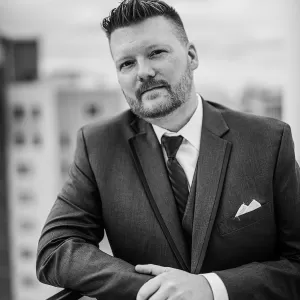
Nick Landis is a mastering engineer, consultant, educator, pizza lover, musician, gamer, mountain biker, and husband based in Austin, TX.
Nick Landis is a mastering engineer, consultant, educator, pizza lover, musician, gamer, mountain biker, and husband based in Austin, TX.
It seems that every day I hear of a new way to get your songs to the digital marketplace, so it's about time for an update on Digital Distribution methods for your music. In a more strict sense of the term, digital distribution relates not just to music but eBooks, movies, ringtones, photography, software programs and apps among other things. There are a lot of stores. . .

Mastered for iTunes made a splash a few months ago when Apple made the announcement that they would accept higher resolution masters for AAC (like MP3) release. I was highly skeptical that it would make the files sound better.

Featuring GRAMMY Award-Winning Engineer Chuck Ainlay
(A GRAMMY GPS Texas Summer Speaker Series Event)
Saturday, June 16
2 – 5 p.m.
STUDIO CBC
Community Bible Church I 2477 North Loop 1604 East San Antonio, TX 78232 www.audio-eng.com
_________________________________________
Recording Academy members will get up close and personal with GRAMMY-winning engineer Chuck Ainlay who will discuss the state of audio quality today and into the future.
I'm wanting to get back into time lapse photography. . . but I didn't do too well on this attempt. It's too dark to see anything. More to come soon, hopefully.
Nick Landis is the new Vice President elect for the Recording Academy Texas Chapter.


Microsoft Internet Explorer 7 has read-only FTP capabilities, but there is a button that opens the server in Windows Explorer for complete access. Open Internet Explorer 7 Type in the address. Don't forget you are trying to connect to an FTP server and not a web server (that means use the ftp:// instead of the http://). The formula is ftp:// username@hostname.com . You can also put your password in to skip the login window. That formula is ftp://username: password@hostname.com .
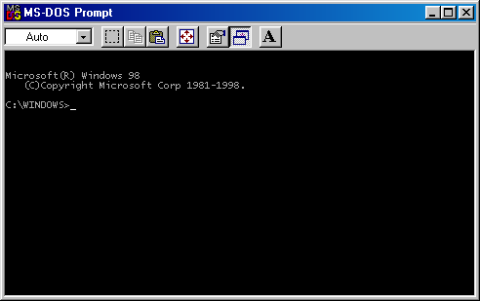
Open the MS-DOS command prompt. (Start>Run. . . – cmd) Navigate to the location where the files to send are or where you would like the files to be downloaded. Command: cd C:\directory\directory Connect to the FTP server. Command: ftp domain.net Provide your user name (case sensitive) and password (case sensitive and won't see it when you type it). Set the transfer mode to binary Command: binary Send or receive files.
Open the Terminal (HD>Applications>Utilities>Terminal) Navigate to the location the files are or where you would like them downloaded. Command: cd Desktop Open an FTP connection. Command: ftp domainname.net Provide your user name (case sensitive) and password (case sensitive and won't see it when you type it). Set the connection to binary transfer Command: binary Send or receive files. Send command: put filename.ext Receive command: get filename.ext Log out of your session.
Nick Landis will be speaking on the Loudness Wars and dynamics in music to Audio Production students at Austin Community College on Thursday March 22nd. The lecture will cover topics relating to dynamics in music, thier effects, how it relates to the future of the music industry and what is being done to stop the "loudness wars."